This guide explains how to search, view and download reservation information from your Operator Console, including filtering reservations by date, booking status and other criteria.
The Reservation Search feature allows you to review your bookings, locate specific reservations and export detailed booking information to a CSV file for reporting or record-keeping.
Searching for Reservations
1. Log in to your Operator Console
2. Click the ResSearch (magnifying glass icon) at the top of the page.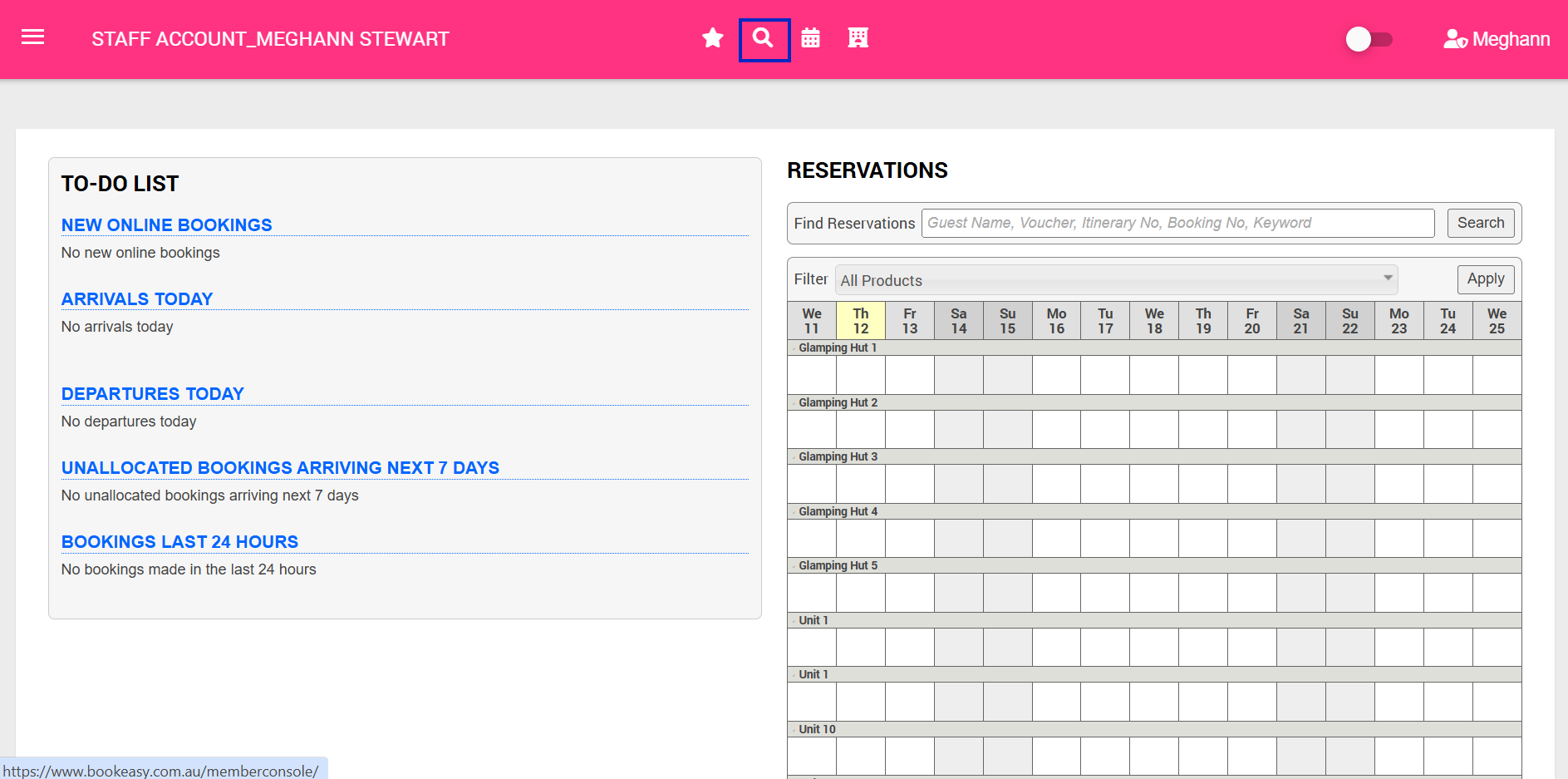
3. Select the appropriate Search Type depending on the reservations you want to view:
- Any Dates
- Stay Date
- Booking Date
- Arrival Date
- Departure Date
- Cancelled Future Bookings
- New Online Bookings
- Quotes
4. Enter your required From and To dates.
5. If required, refine your search using the additional filters:
- Product
- Booking Source
- Booked By
- Status
- Allocations
6. Click Search to display reservations matching your selected criteria.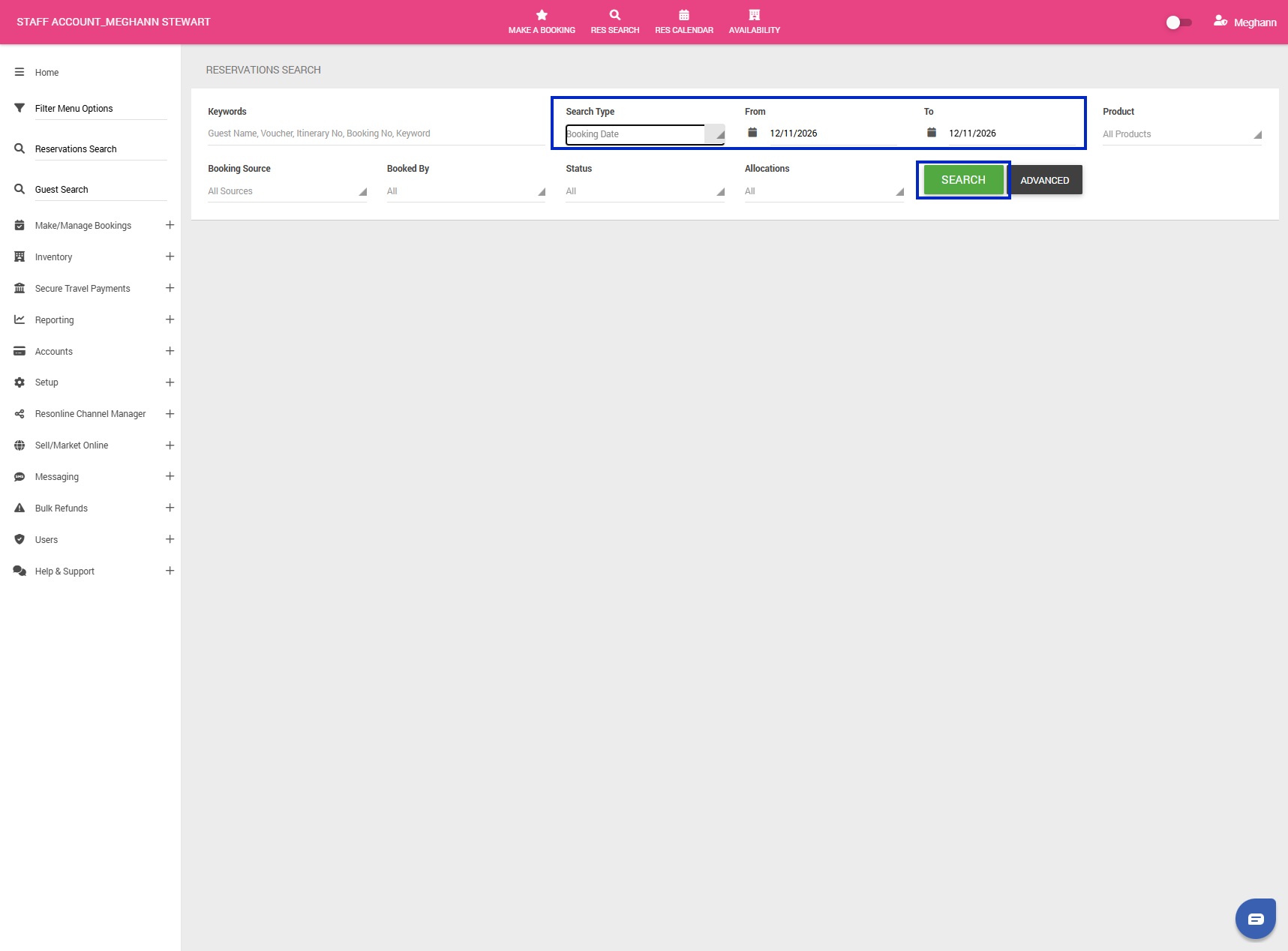
Viewing Reservation Information
Once you have completed your search, the results will display an overview of reservations matching your selected filters.
You can further manage the results using the available options:
- Search Bar: Use the search bar above the results to quickly locate a particular reservation within the displayed results.
- Number of Results: Click the dropdown displaying 10 to change how many reservations appear on each page. You can select 10, 25, 50, 100, 200 or All.
These options make it easier to review your reservations without needing to adjust your original search filters.
Downloading Reservation Information
You can export your reservation search results to a CSV file, which can be opened in Microsoft Excel or other spreadsheet applications.
1. Complete your reservation search using the required dates and filters.
2. Review the results to ensure they match the information you need.
3. On the right-hand side of the results, click Export to CSV.
4. Open the downloaded CSV file to view your reservation information.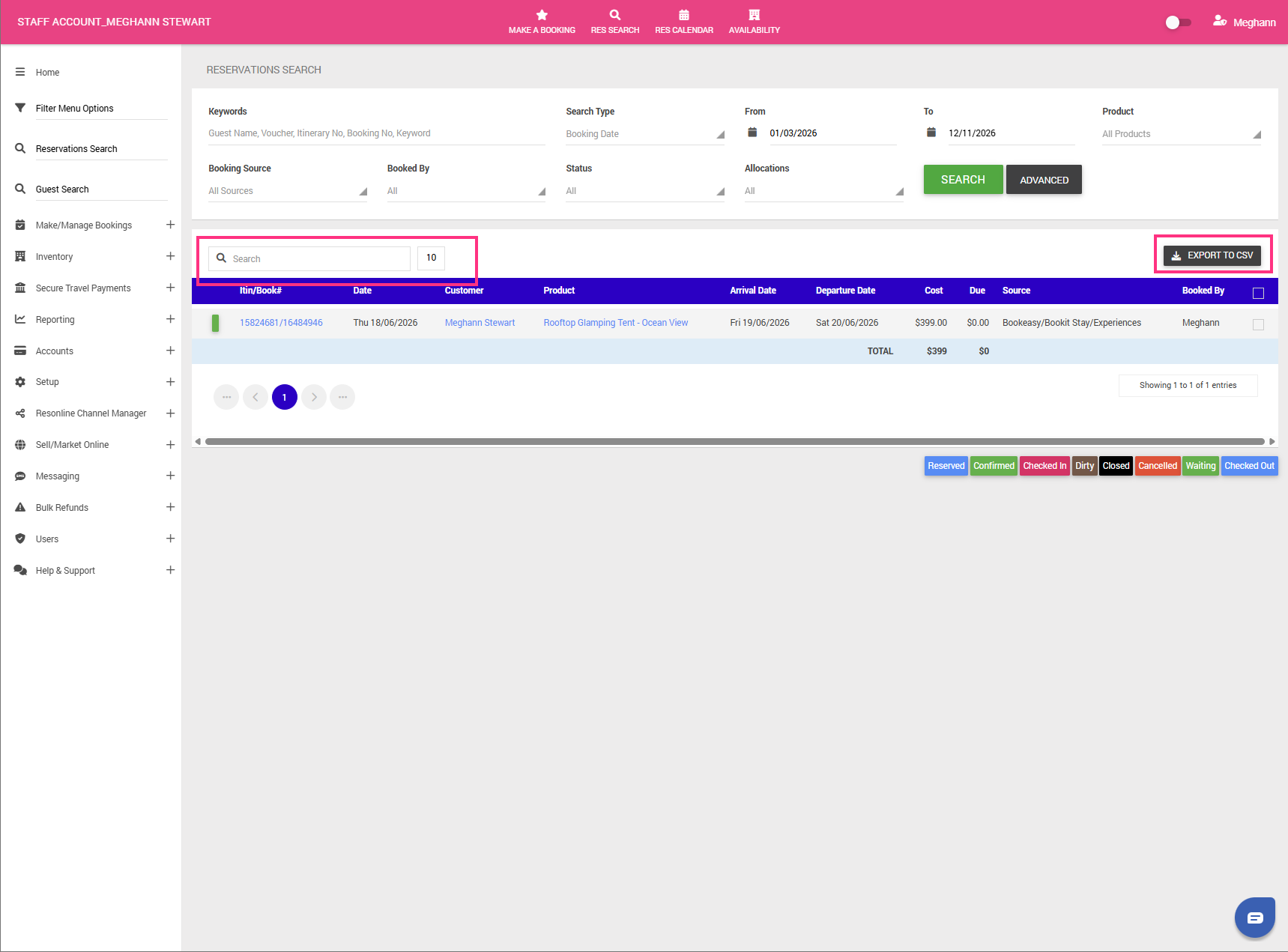
Important: The CSV export contains additional booking information that is not displayed in the Reservation Search results within your Operator Console.
The exported file includes the following information:
- Itinerary Number
- Booking Number
- Booking Date
- First Name
- Surname
- Email Address
- Phone
- Mobile
- Product Name
- Arrival Date
- Departure Date
- Cost
- Amount Due
- Booking Source
- Booked By
- Status
The CSV file can be used to review reservation details, reconcile bookings or maintain records outside the system.