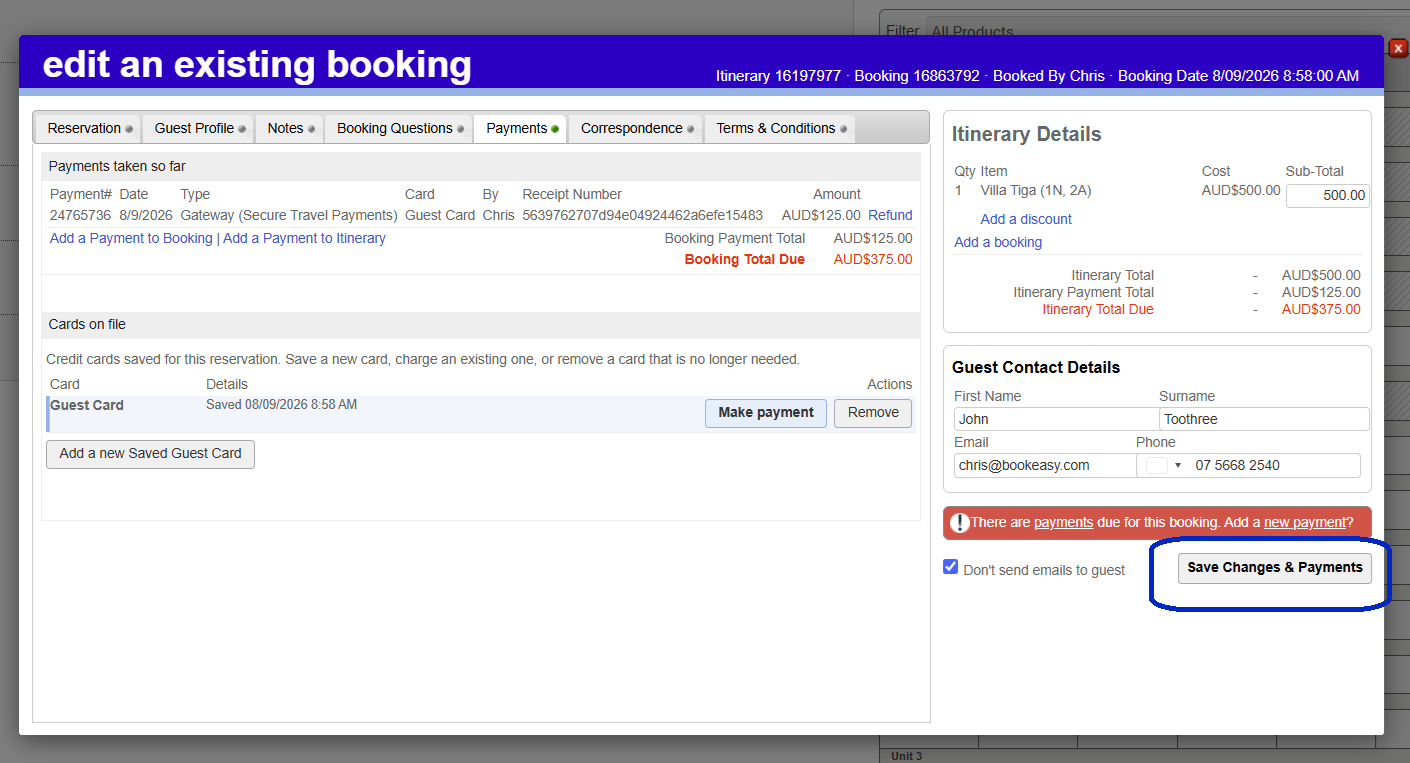
This article explains how to securely process a tokenised credit card payment directly from your console.
In this article you'll learn how to:
- Locate the tokenised card within a booking.
- Process a tokenised credit card payment through your connected payment gateway.
Before you begin
- A supported payment gateway must be connected.
Charge an Tokenised Credit Card
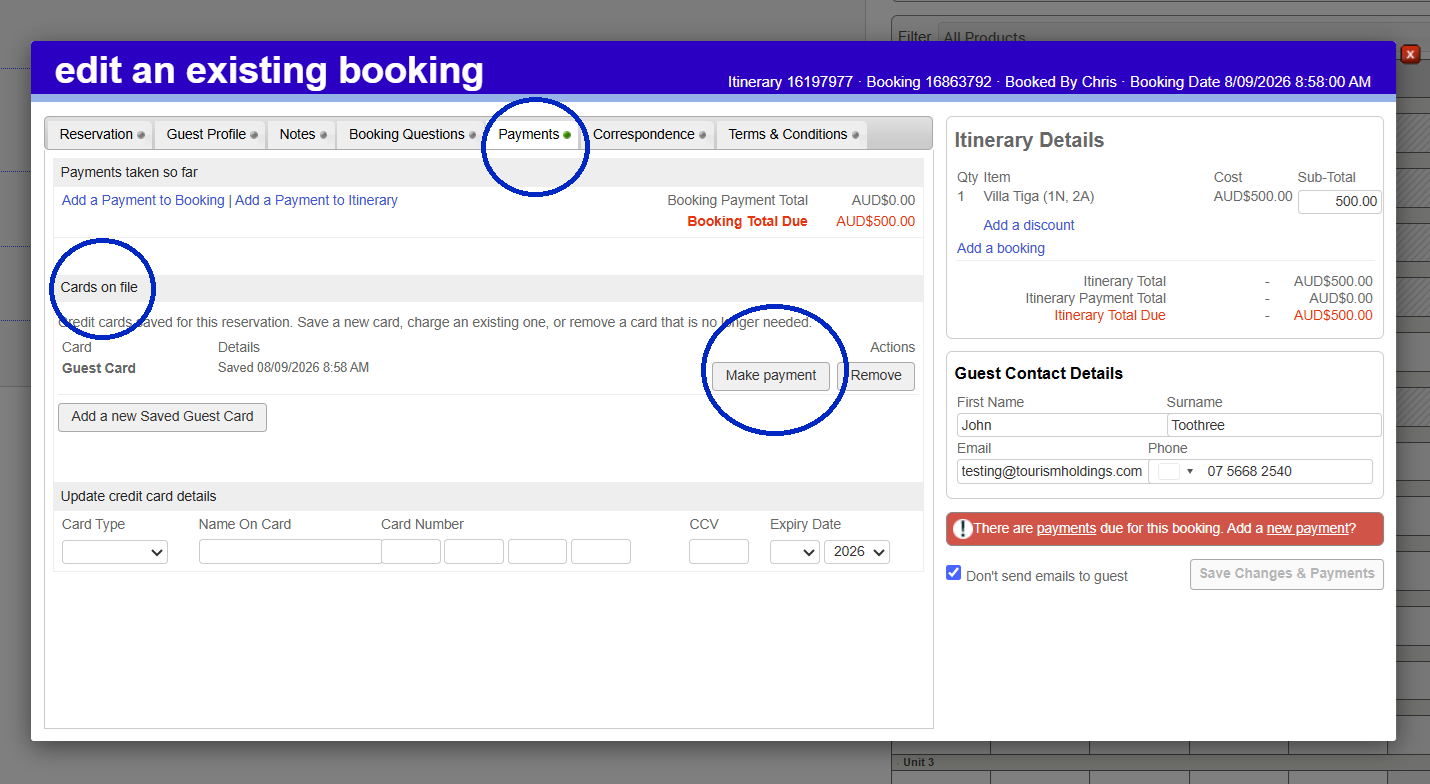
1. Select and edit a reservation
2. Once inside your booking, Click on the Payment tab
3. Navigate to the heading Cards on File
4. Here you will find all tokenised cards against the booking
5. When you are ready to charge the credit, click Make Payment on the card you wish to charge
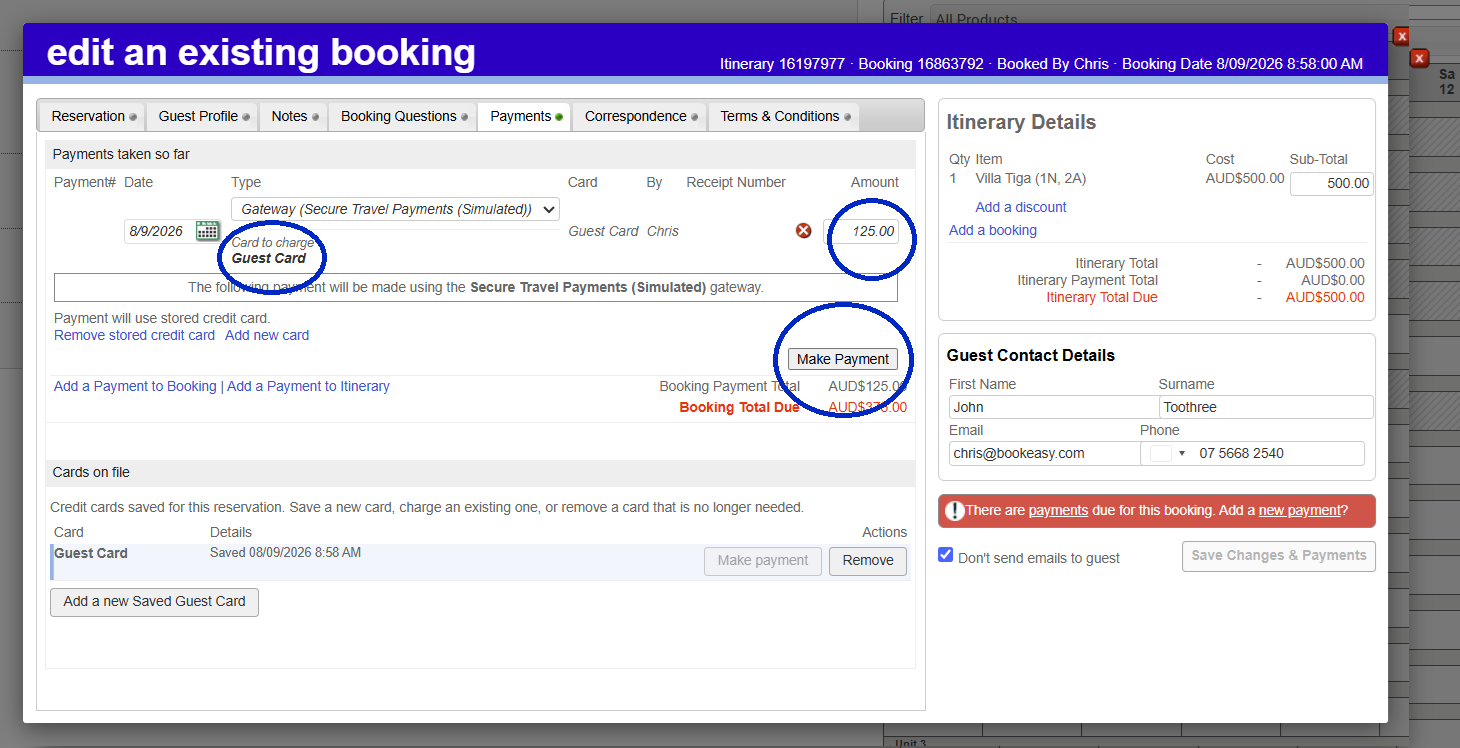
 6. You will then be able to confirm or edit the amount to be charged, confirm the card to be charged and select Make a Payment
7. Once the payment has been taken, you will be able to see a record of the payment.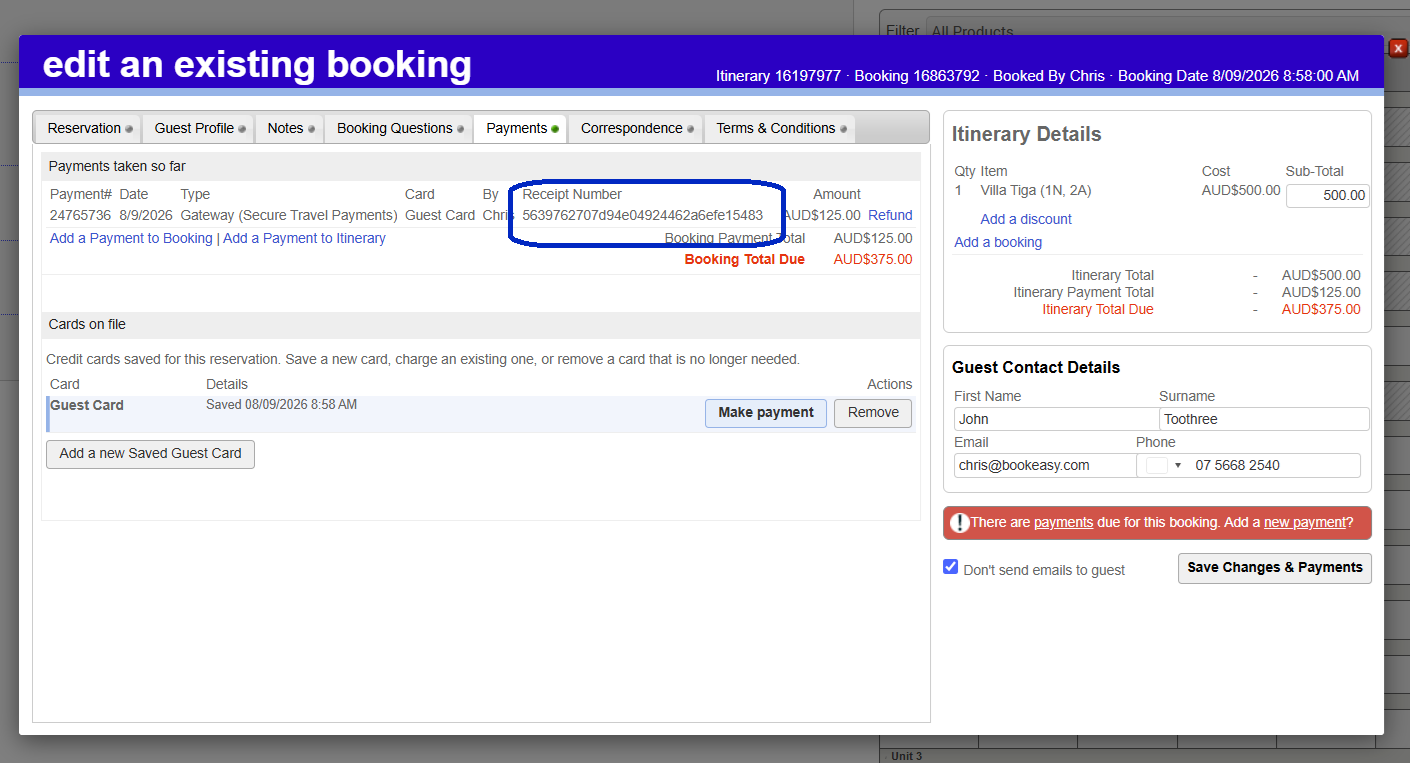
8. Click Save Changes and Payments on the right hand side once completed.