This article explains how to configure your booking engine to securely tokenise guest payment cards at the time of booking instead of charging them immediately.
In this article you'll learn how to:
- Enable payment tokenisation.
Before you begin
- A supported payment gateway must already be connected.
Enable Setting
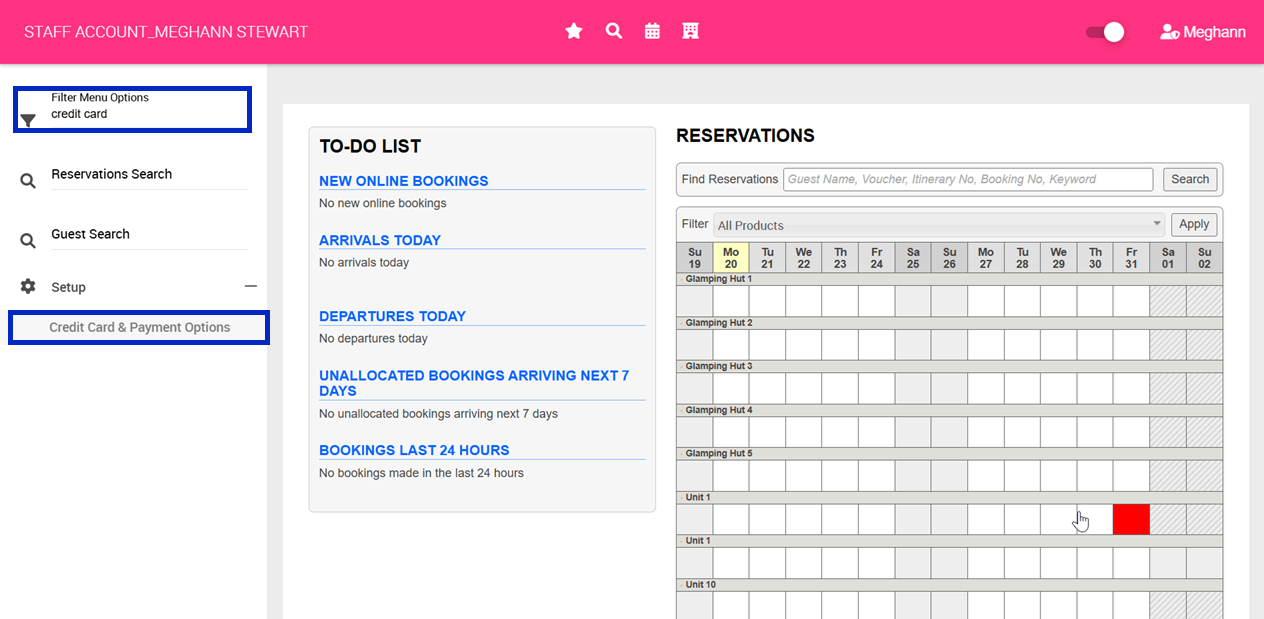
1. Navigate to your left hand menu
2. Using the Filter Menu Options search functionality, search for Credit Card
3. Select, Credit Card & Payment Options
4. Scroll to the heading, Online Booking Payment Mode
5. Update your selection to, Take no payment at time of booking, but get a gateway token so charges can be made later
6. Click Save Online Booking Payment Mode 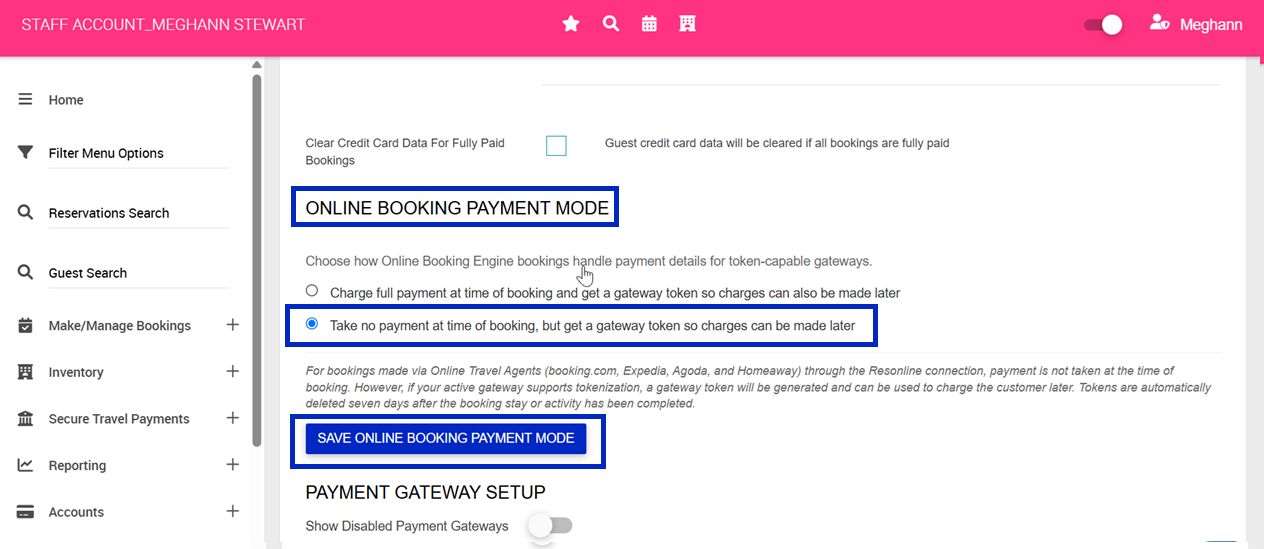
7. Once enabled credit cards will be tokenised at the time of booking and stored under the Payment tab of the booking under Card on File
8. When you are wanting to charge the card on file, simply navigate to the Payment tab of the booking and click Make Payment for the applicable card