This guide shows you how to upload and manage images for your rooms on the online booking engine and Marketplace. Room images are shared across both, so updates will automatically apply to each. Keeping your images high-quality and current helps your rooms stand out and attract more bookings.
Room Images
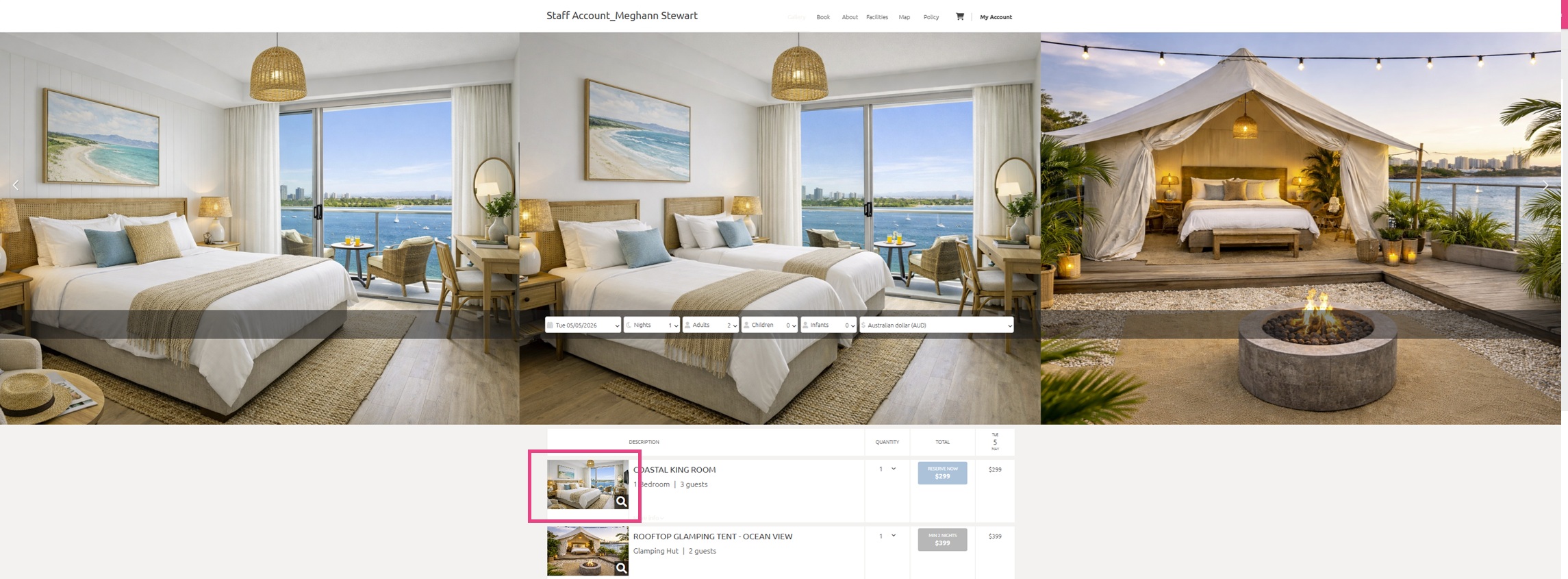
Room images are displayed on your booking engine and Marketplace listings, with the first image set as the primary image shown to customers. Additional images can be viewed in a carousel gallery when selected (see example below). For best results, use landscape JPEG images sized at 800 × 500 pixels, with a resolution of at least 72 dpi.
Add your Room Images
- Navigate to the menu on the top left hand corner
- Click Inventory > Rooms & Rates
- Under the Images column, click Edit on the room you want to add or update images for. This will bring you straight to the Images tab of your room
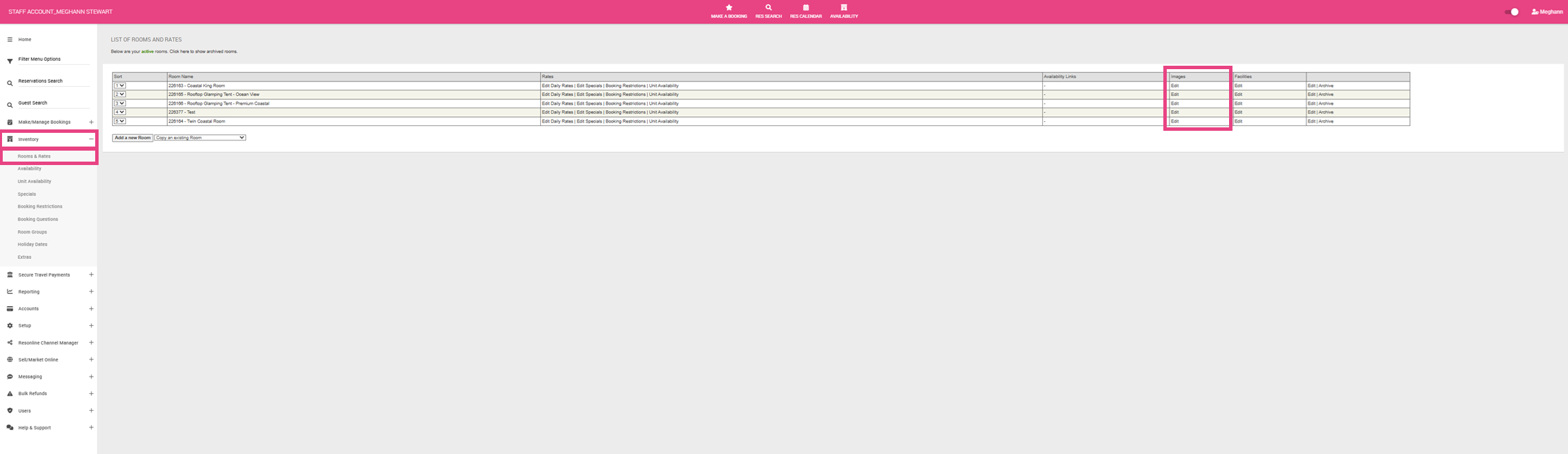
- This will bring you straight to the Images tab of your room
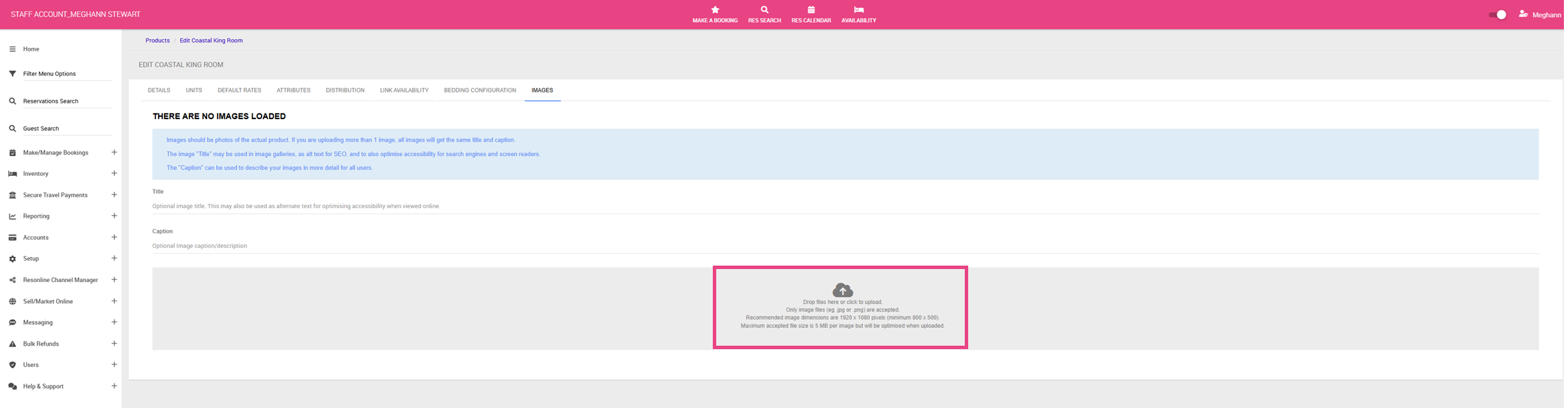
- Click Drop files here or click to upload
- This will provide a pop up so you can select images from your computer. You can upload more than one at a time.
- Once your image has been loaded, click View Image List to review your current images and continue to load more images.
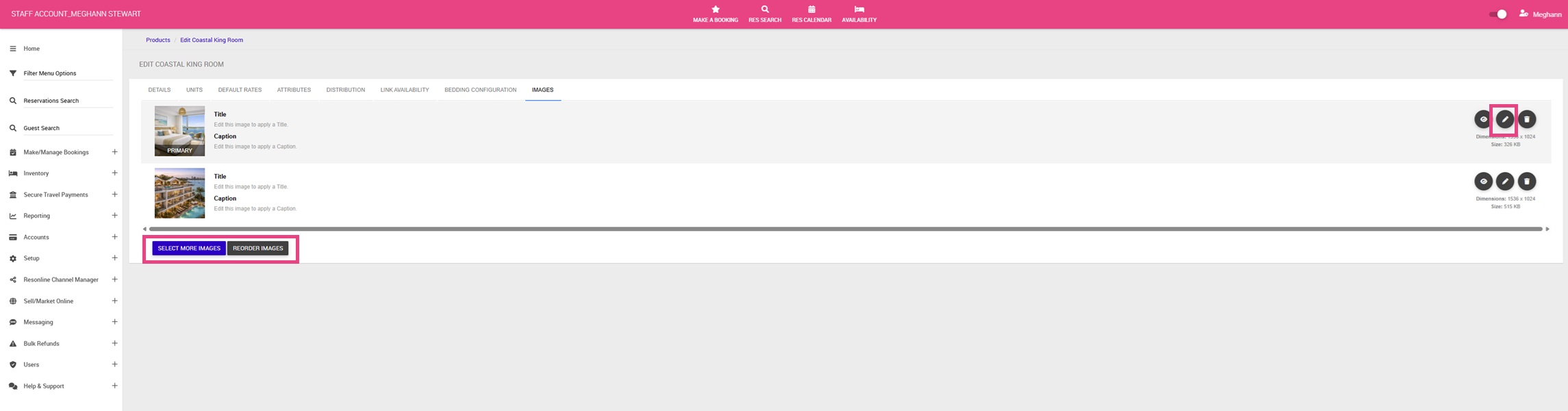
- Once viewing your image list, click Select More Images to load more images
- Click the pencil on the right to add a Title and Caption to the image should you wish.
- The Primary Image will be the hero image for the room. To reorder your images, click Reorder Images
- This will take you to a new screen where you can drag and drop the images to a new order. Once happy with your order, click Update Order
Preview Your Room Images
- Navigate to the menu on the top left hand corner
- Click Sell/ Market Online > Direct Website Bookings
- Click the Website Implementation tab
- Click the Copy button under, BOOKING PAGE LINK - COPY AND INSERT THIS LINK TO ALL PAGES ON YOUR WEBSITE
- Paste this into your preferred Browser to see how the room images look on your booking engine.