This guide explains how to set up and update cancellation policies in Bookeasy to protect your revenue and set clear expectations for guests. Cancellation policies define the terms under which guests can cancel or modify bookings, including any applicable fees or refund conditions. These policies display on your booking engine during the reservation process and help manage guest expectations whilst safeguarding your business from last-minute cancellations.
Configurable Cancellation Policies, both at the operator and booking centre level, are important milestones in the Bookeasy Client Self Service portal. These policies are essential if you are connected to a Bookeasy booking centre that utilises this functionality. To allow guests the ability to cancel or modify their own booking online, you will require the Automated Refunds add on. Please discuss with the Bookeasy Support Team.
Note: If you are using Bookeasy Pay (Formerlu, Secure Travel Payments) gateway, the automated refunds functionality is included. If you do not have this functionality, all cancellations and refunds are administered manually.
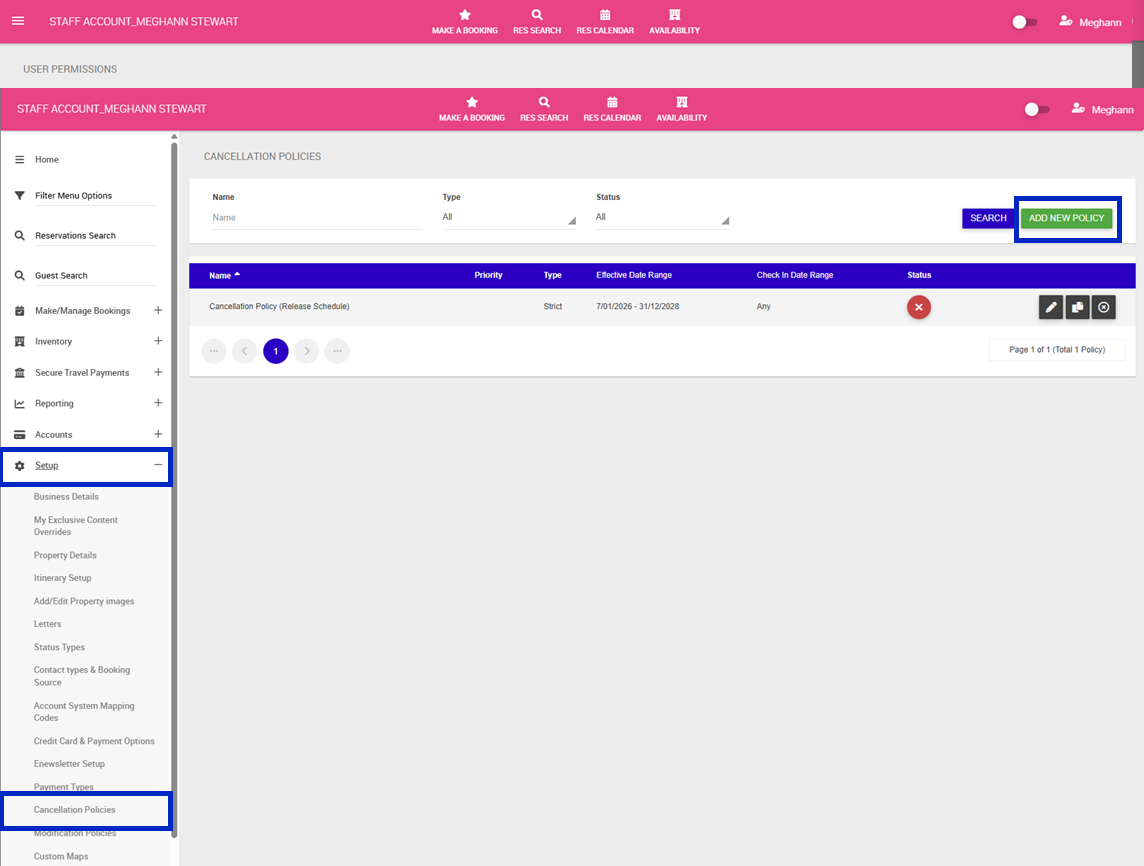
1.Navigate to the left-hand menu (3 lines in the top left hand corner)
2. Click Setup > Cancellation Policies
3. Click Add New Policy
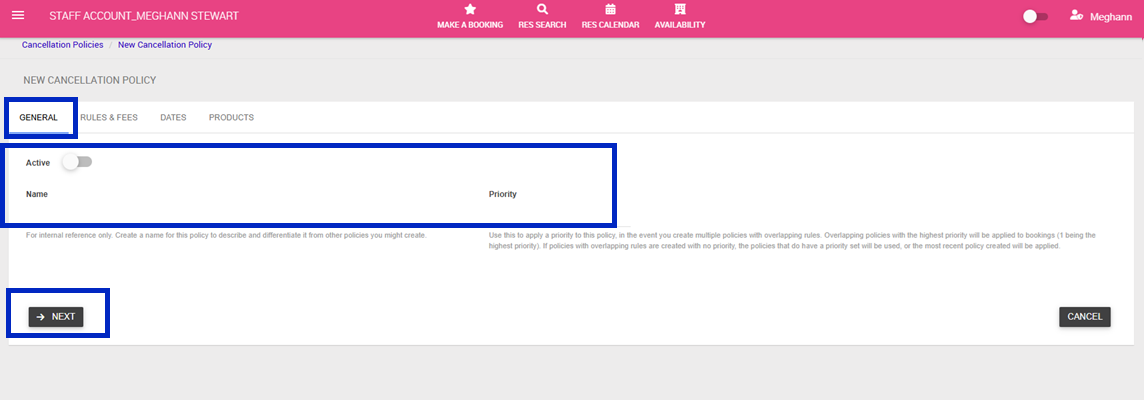
4. Give your Cancellation policy a name and set a priority (only required if setting up multiple policies) > Click Next
Note: If a booking has more than one rule applying to its stay, the higher priority rule will be used (1- Highest Priority, 10- Lowest).
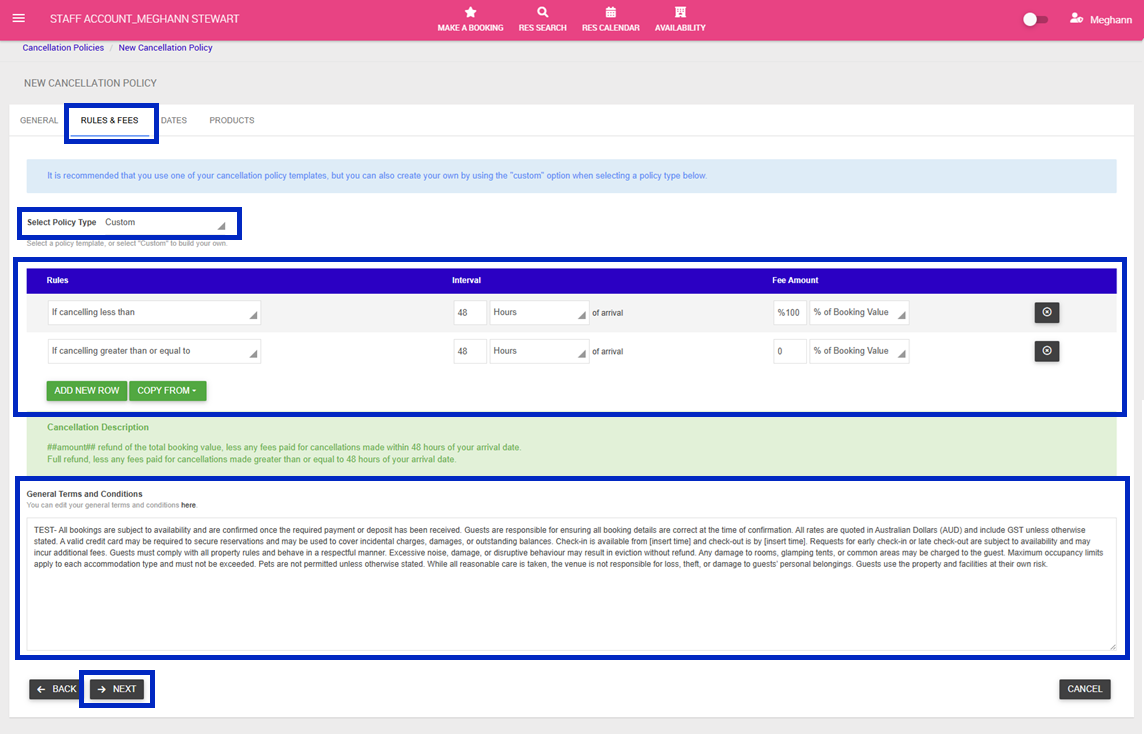
5. Rules & Fees Tab > Select a Policy Type from the Drop Down:
Note: Templated policies, rules and fees cannot be edited.
- No Cancellations: Cancellations are non-refundable (100% penalty applies immediately)
- Very Strict: If cancelled more than 60 days before arrival: 50% refund, If cancelled within 60 days of arrival: 75% penalty (25% refund), If cancelled within 30 days of arrival: 100% penalty (non-refundable)
- Strict: If cancelled more than 60 days before arrival: 75% refund (25% penalty), If cancelled within 60 days of arrival: 50% refund, If cancelled within 30 days of arrival: 75% penalty (25% refund), If cancelled within 7 days of arrival: 100% penalty (non-refundable)
- Moderate: If cancelled more than 60 days before arrival: Full refund (0% penalty), If cancelled within 60 days of arrival: 75% refund (25% penalty), If cancelled within 30 days of arrival: 50% refund, If cancelled within 7 days of arrival: 75% penalty (25% refund), If cancelled within 24 hours of arrival: 100% penalty (non-refundable)
- Flexible: If cancelled more than 7 days before arrival: Full refund, If cancelled within 7 days of arrival: 75% refund (25% penalty), If cancelled within 48 hours of arrival: 50% refund, If cancelled within 24 hours of arrival: 100% penalty (non-refundable)
- Last Minute: If cancelled more than 24 hours before arrival: Full refund, If cancelled within 24 hours of arrival: 100% penalty (non-refundable)
- Custom: Allows you to create your own cancellation fee structure with custom timeframes and refund percentages/ amounts
6. Click Next
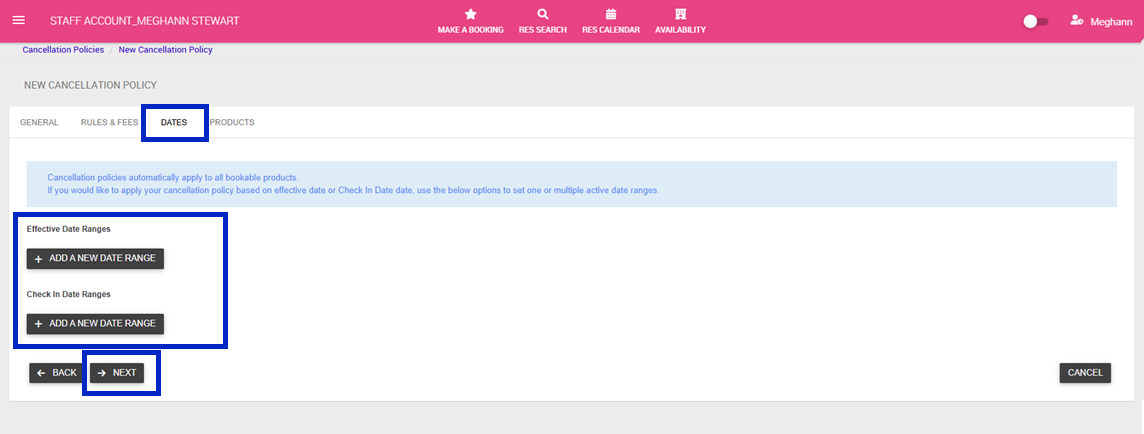
7. Dates Tab > Should you wish for your policy to only be valid for particular dates, complete the following;
- Effective Date Ranges - Apply policies only during specific booking periods
- Check In Date Ranges - Apply policies only for specific travel dates
8. Click Next
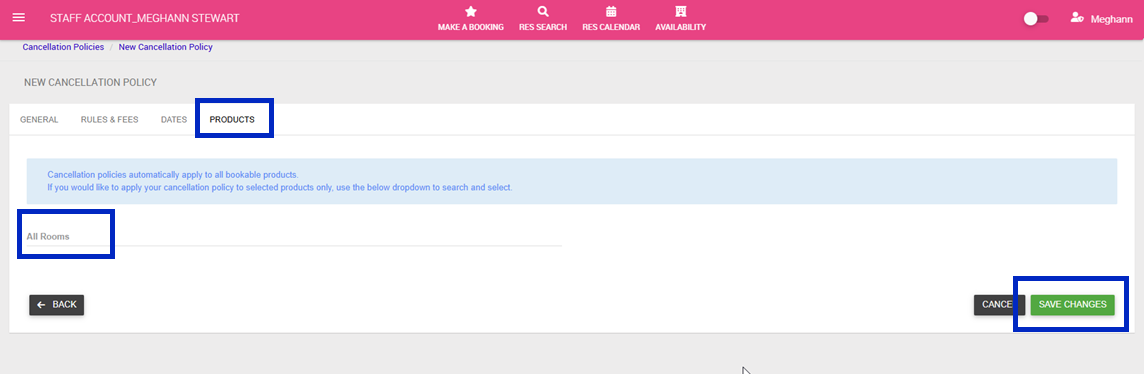
9. Products Tab > Cancellation policy automatically applies to all bookable products (rooms). If you would like to apply your modification policy to selected products only, use the below dropdown to search and select.
10. Click Save Changes