This guide explains how to create custom user permissions in Bookeasy when the pre-set standard permission levels don't suit a particular role. Custom permissions allow you to select from available system permissions to build a profile that better matches specific job requirements, rather than using the default permission bundles. This provides more flexibility in assigning access whilst still working within the defined permissions available in the system.
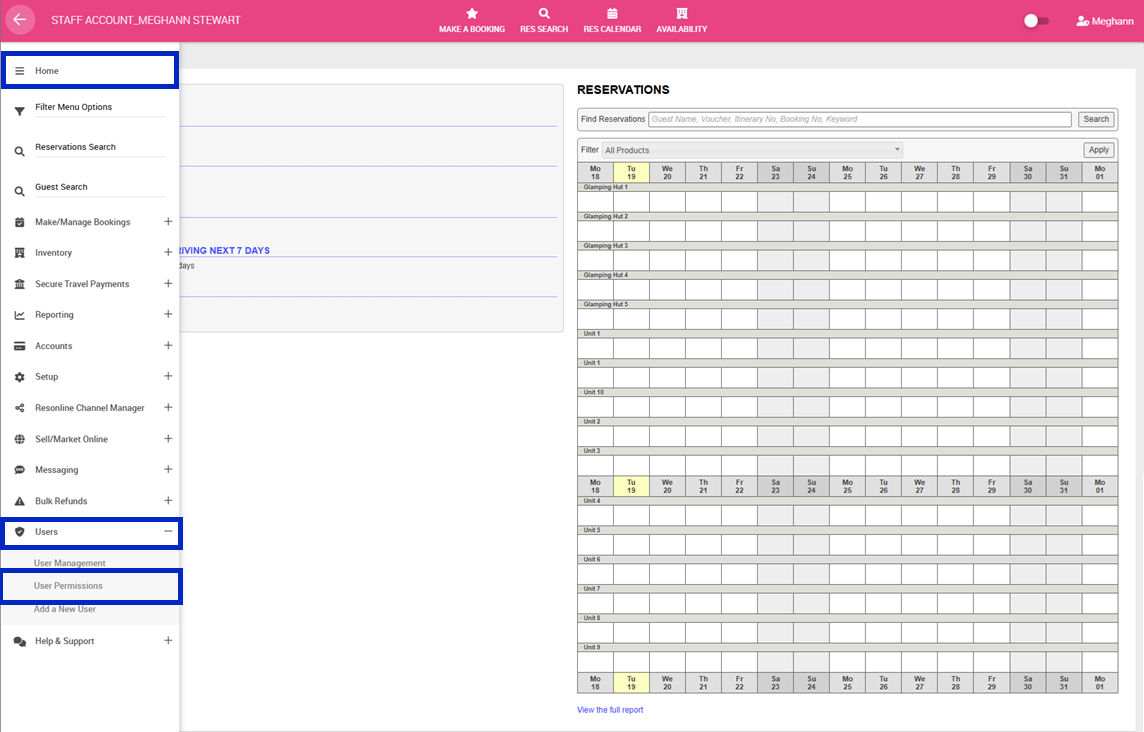
1. Navigate to the left-hand menu (3 lines in the top left hand corner)
2. Click Users > User Permissions
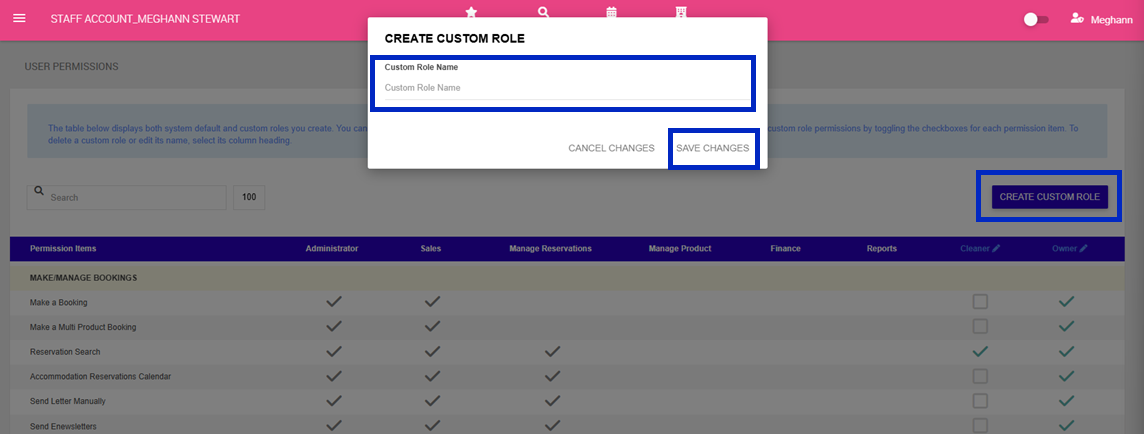
3. Click Create Custom Role
4. Enter a Name for the Custom Role > Click Save Changes
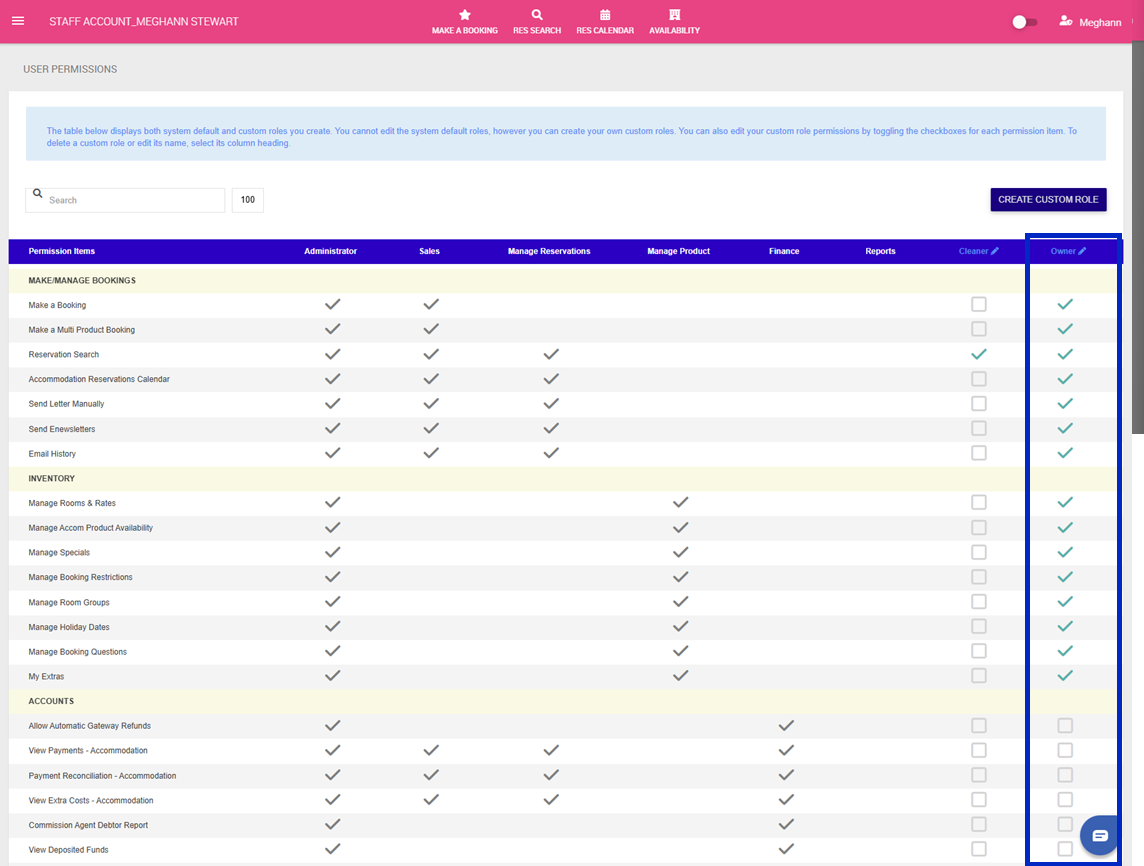
5. You will now see your new custom role as a column on the far right with checkboxes
6. Click the check boxes for permissions you wish to add to your new Custom Role. These selections will save automatically as you go.
To learn how to create a new user/ apply your new User Permission, click here.