This guide explains how to retire a user account in Bookeasy when a staff member leaves your business. Promptly deactivating user accounts is a critical security practice that prevents unauthorised access, protects sensitive data, and maintains accurate audit trails. We strongly recommend retiring user accounts on or before an employee's final day.
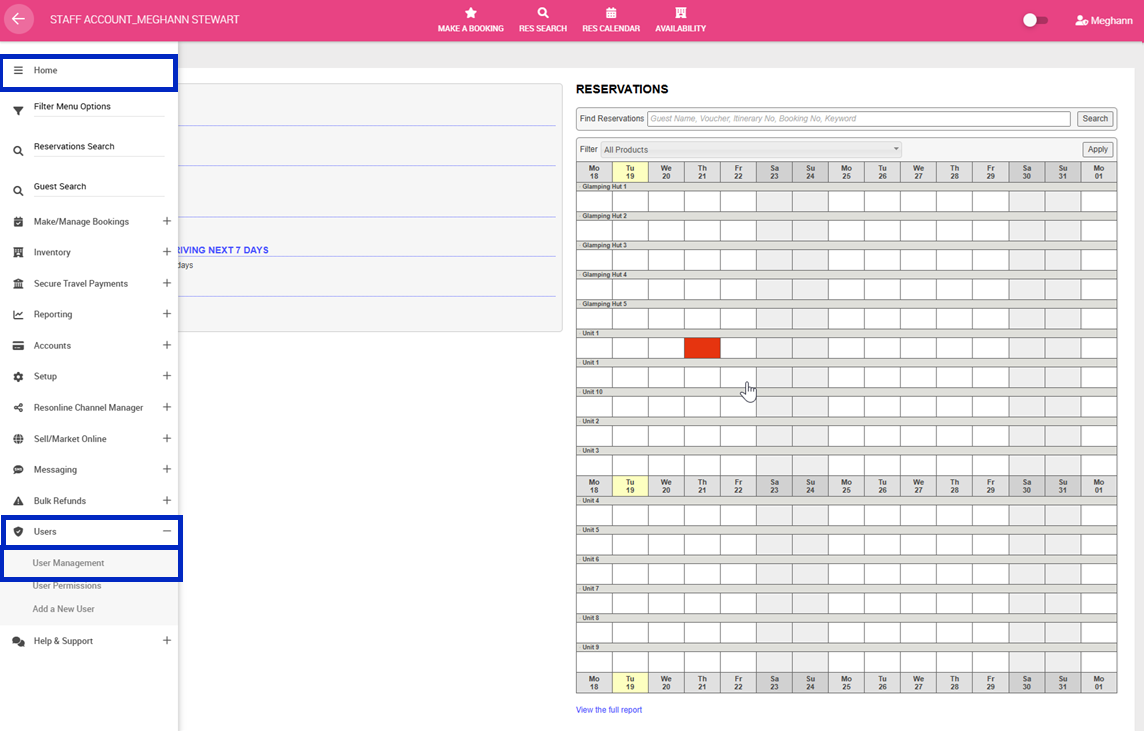
1. Navigate to the left-hand menu (3 lines in the top left hand corner)
2. Click Users > User Management
3. You will see a list of all your active users with columns for Name, Email, Phone, Last Login Date, Type, Action > Click ARCHIVE under the Action column
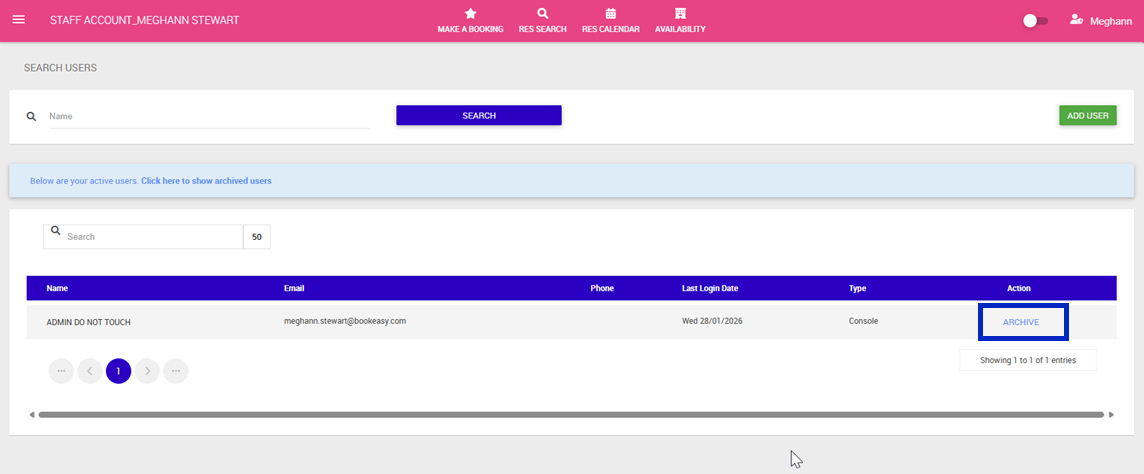
To preview your archived users navigate to the blue alert message and click, Below are your active users. Click here to show archived users.