Room extras are additional items or services that can be manually added to a booking and managed in the system. Unlike booking question charges, room extras are not displayed to guests whilst making a booking through the booking engine and are applied on the backend for operational or billing purposes.
Click here to learn more about Booking Questions.
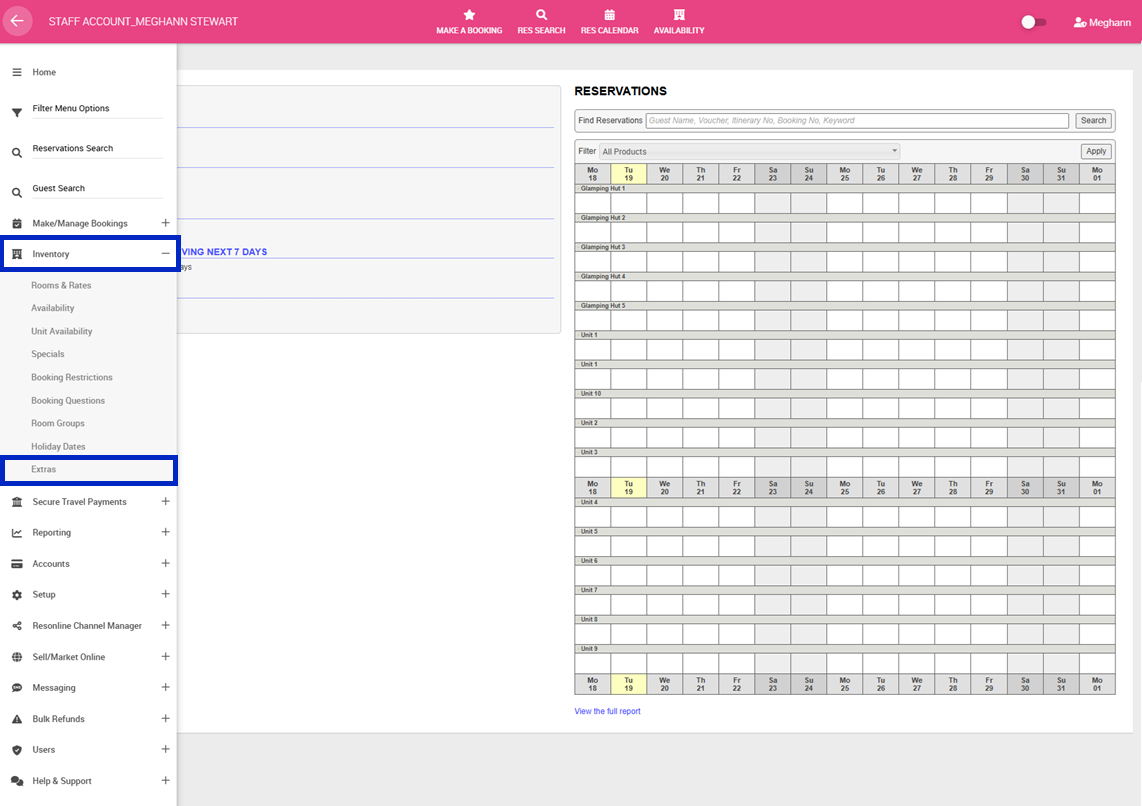
1. Navigate to the left-hand menu (3 lines in the top left hand corner)
2. Click Inventory > Extras
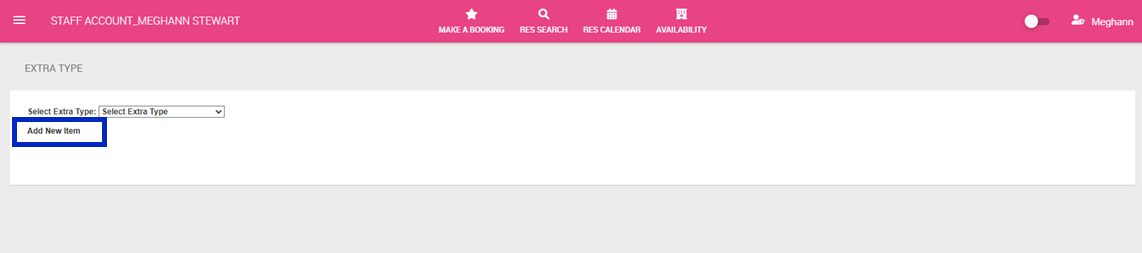
3. Click Add New Item or to edit Select Extra Type from the drop down
4. Complete the following:
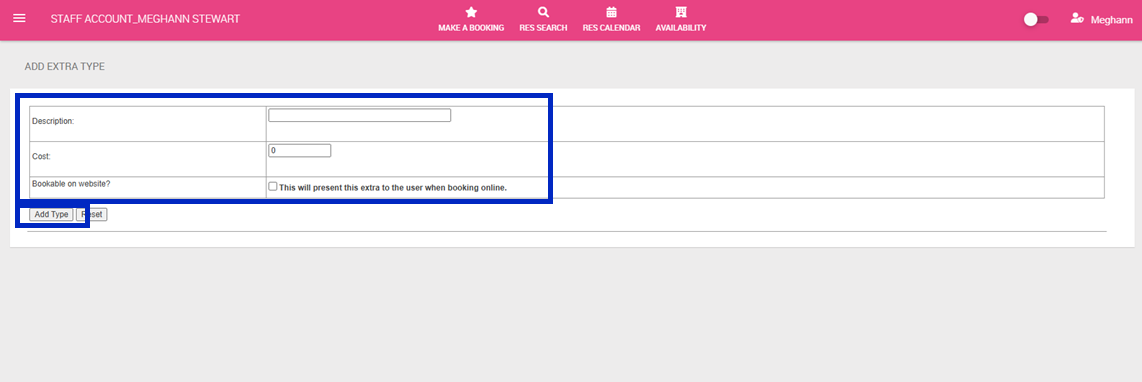
- Description: Name of the extra
- Cost: Additional Cost
- Bookable on website: This functionality is currently not supported. Extras will not show on the booking engine for customers and are not bookable on the website.
5. Click Add Type